Docs · Start here
Start hereSet up your practice
First-run setup takes about a minute and everything is changeable later. You end on your dashboard, ready to add a client.
Saves the week of setup other tools ask for
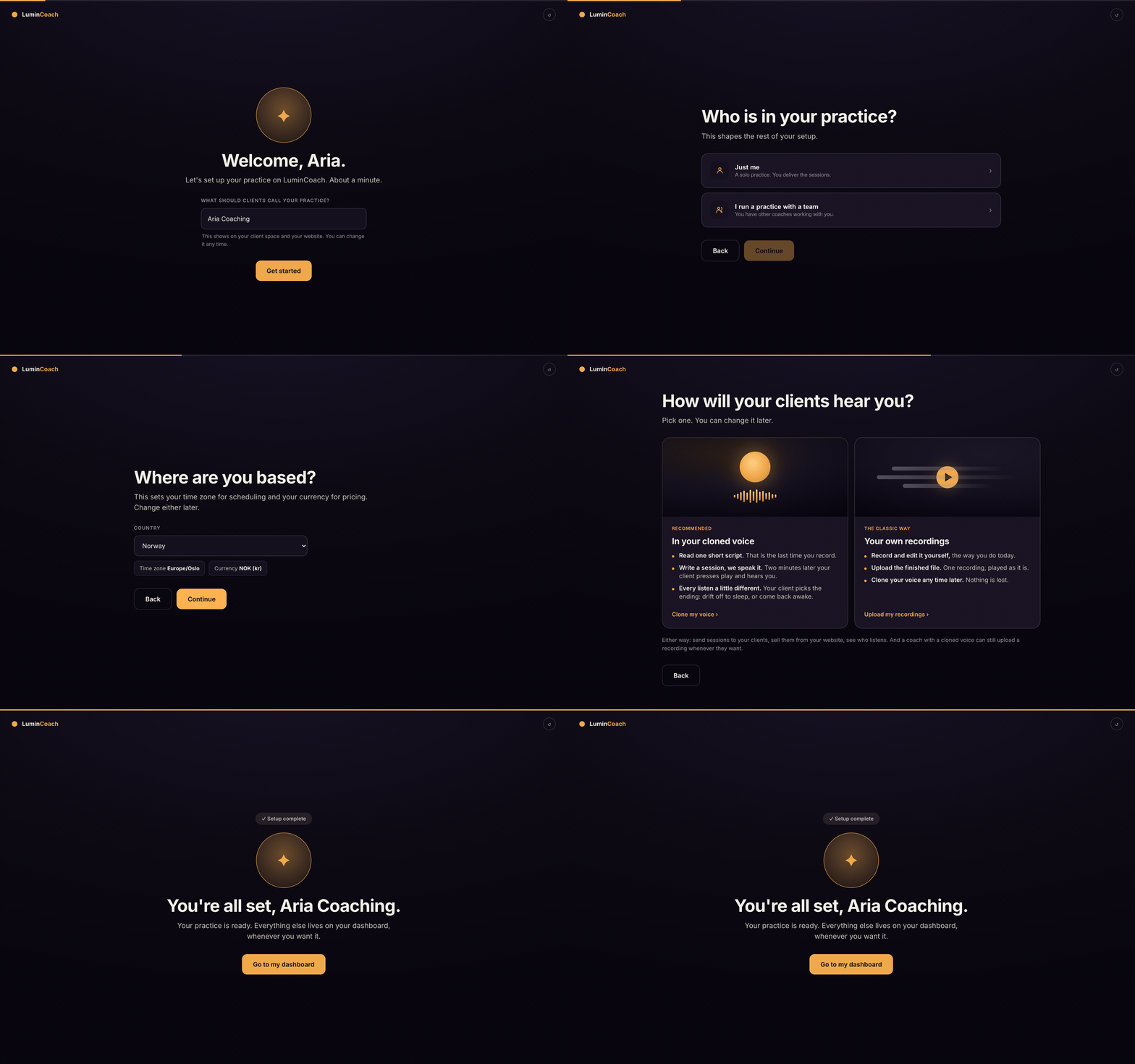
The steps
- Name your practice. This shows on your client space and your website.
- Say whether you work solo or with a team.
- Set where you are based, which sets your time zone and currency.
- Pick how you work: hypnotherapy, coaching, meditation, affirmations, or your own words, and the languages you work in.
- Choose how clients hear you: sessions in your cloned voice, or your own uploaded recordings. You can switch later.
Nothing here is permanent. Change your practice name, brand, hours and voice any time from Account.
After setup
Your dashboard opens on Today with a short checklist. Add your first client, book a session, or make an offer to sell. The rest of this guide walks each of those.