Docs · Clients and scheduling
Clients and schedulingLet clients book themselves
Share one link and clients book into your real hours, with the invite and reminder sent for them, and no double-bookings.
Saves the back-and-forth and the double-bookings
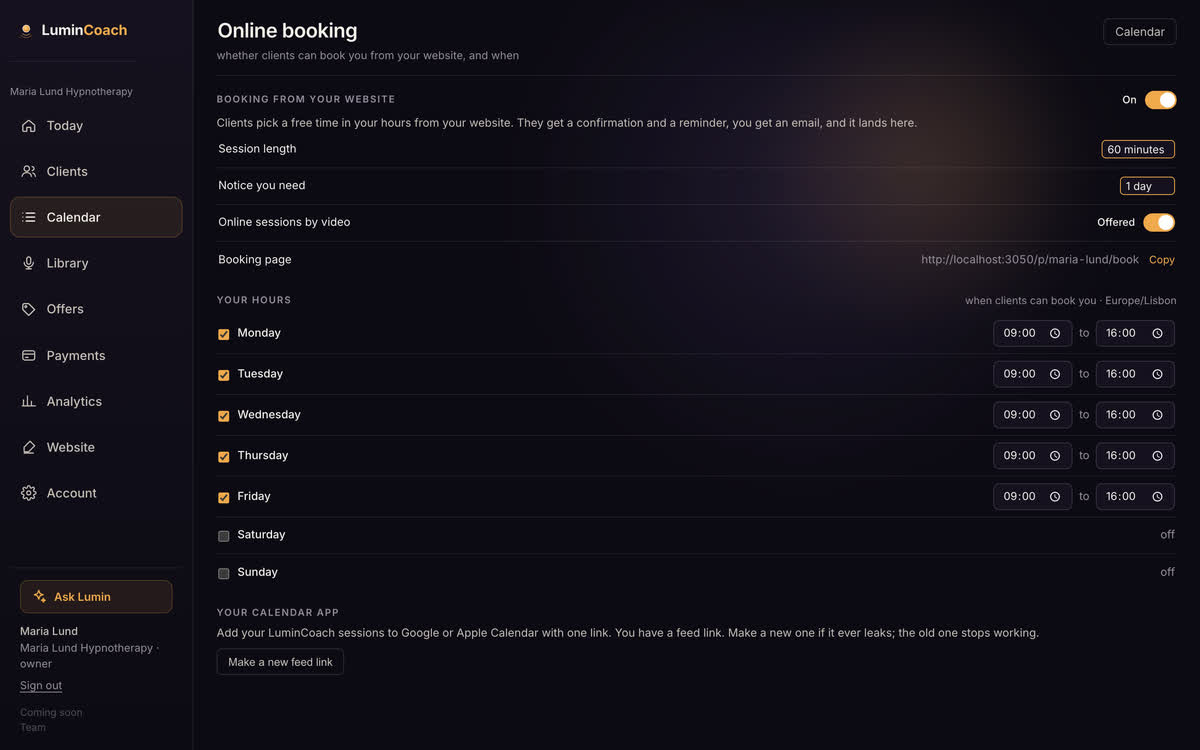
Open your hours
- Open Calendar, then Online booking.
- Set the hours you work, the shortest notice you want, and the default length.
- Share your booking link, or add it to your website.
- Clients pick a free slot; it lands on your calendar with the invite and reminder.
Keep your own calendar in sync
Add your LuminCoach calendar feed to Google or Apple Calendar and your sessions show up alongside the rest of your life. It is a private link, one per coach.