Docs · Clients and scheduling
Clients and schedulingBook a session
No more three emails to agree a time. Pick a slot; the client gets everything, sent for you.
Saves the email tennis and the reminders you forget to send
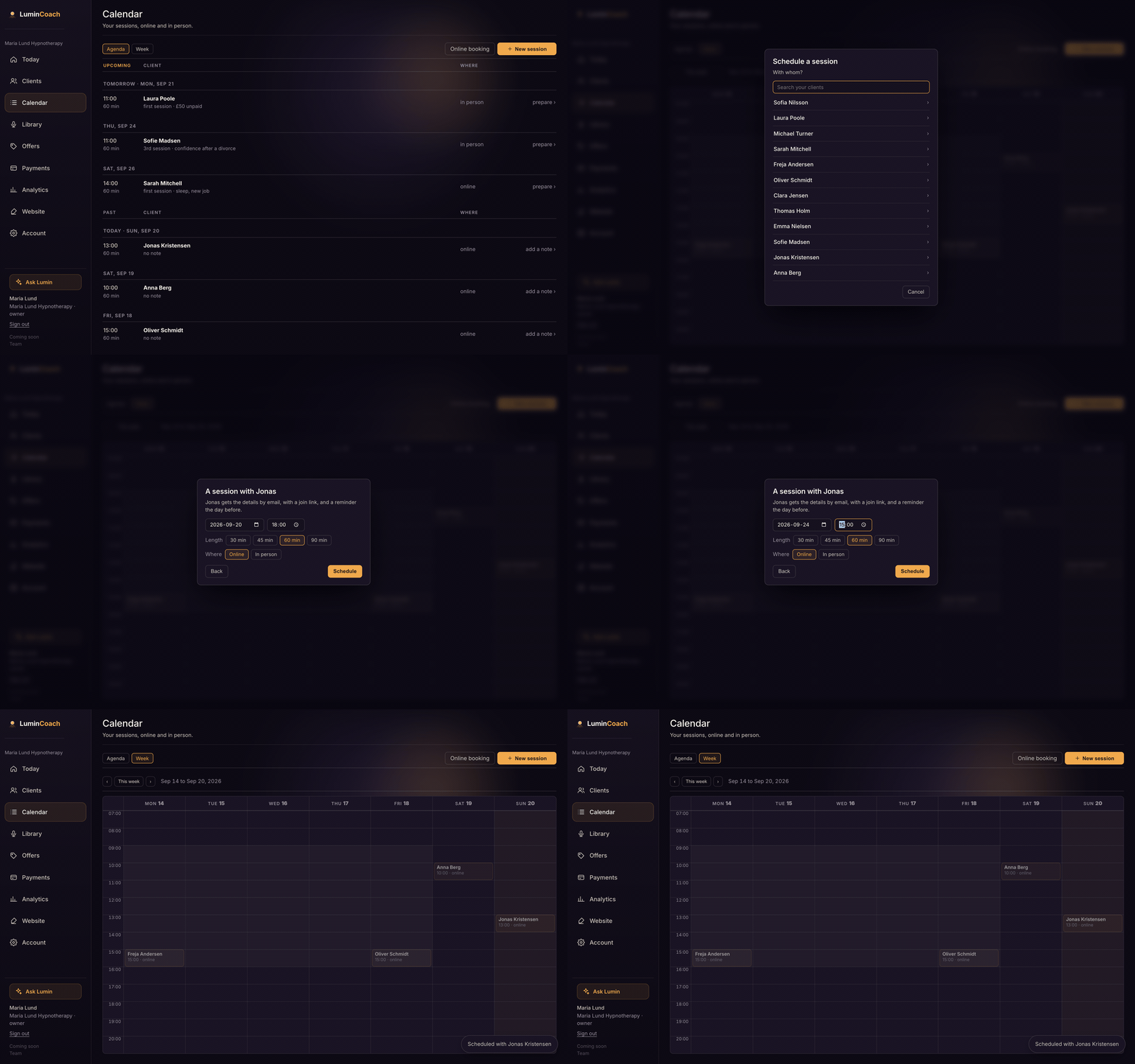
Book it yourself
- Open Calendar and choose New session.
- Pick the client, then the day, time, length and whether it is online or in person.
- Schedule. The client is emailed the details, a join link for online sessions, and a reminder the day before.
Let clients book themselves
Turn on Online booking and share your booking link, or add it to your website. Clients pick from your real available hours, and the session lands on your calendar with the same invite and reminder.
Online sessions include built-in video: no Zoom, Teams or Google Meet. See the Live video guide.